1. Introduction
Scheduled tasks are a normal part of system operations, they help with updates, backups, and maintenance jobs.
But attackers love them too. They often use scheduled tasks to make their tools run repeatedly, stay hidden, or survive reboots.
In this blog, we’ll simulate how attackers abuse scheduled tasks, build a hunting hypothesis, and walk through detection using both logs and endpoint tools.
2. Simulation
Before hunting, we simulate realistic attacker behavior using three tools:
2.1 Atomic Red Team
Atomic Red Team is a great framework for safely simulating attacker techniques.
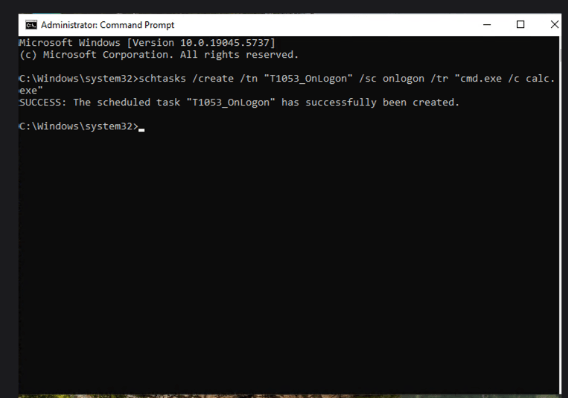
- I used T1053.005 — an atomic test that creates a scheduled task running
calc.exe. - Steps:
- List existing scheduled tasks
- Choose an atomic test under
T1053.005 - Copy and execute the commands
schtasks /create /tn "T1053_005_OnLogon" /sc onlogon /tr "cmd.exe /c calc.exe"
- This harmless task leaves behind the artifacts we want to hunt for.
2.2 Sharpersist
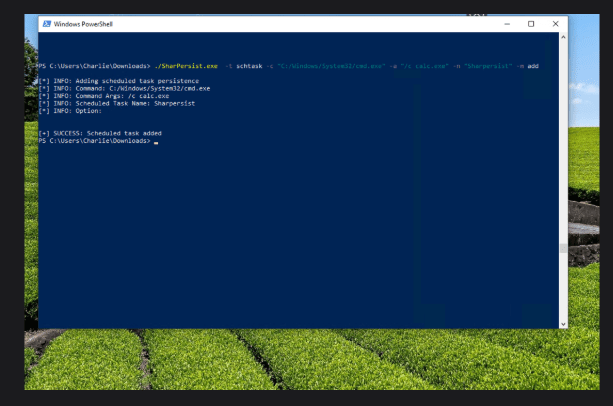
Sharpersist simulates persistence techniques through scheduled tasks.
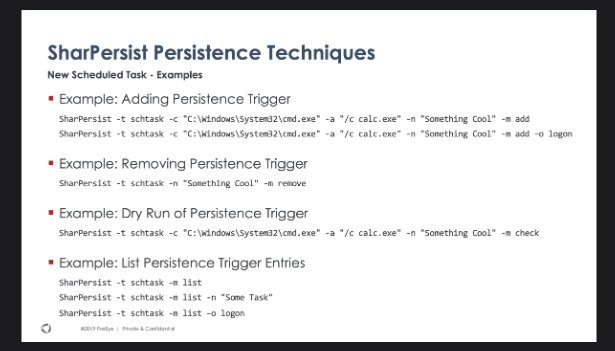
- I created a scheduled task not for detection testing, but to observe the traces and artifacts it leaves.
- It helps in understanding the typical footprint of attacker-created tasks.
3. Hunting Hypothesis
Has a scheduled task been created or modified suspiciously on my network?
That’s the main question we are trying to answer. While scheduled tasks are common, attackers often use them to stay persistent or automate malicious actions. By asking this, we can start looking for tasks that stand out
4. Hunting Method
Now that we’ve simulated attacker behavior, it’s time to hunt for it.
We’ll use a combination of log-based hunting and endpoint-based hunting.
This two-layered approach gives both:
- Infrastructure visibility (via event logs)
- Endpoint visibility (via direct system queries)
4.1 Log-Based Hunting
First, find suspicious task executions triggered by task runner processes.
Next, we want to look for task files stored in the Windows Task folder (System32\Tasks). This is where scheduled tasks are usually defined. Search for these files with this query:

Also, look for Scheduled Task Creation events specifically Event ID 4698:
Event 4698 = “A scheduled task was created.” ✅ Make sure this logging is enabled!
4.2 Endpoint-Based Hunting
Once suspicious tasks are detected in logs, we move to direct endpoint investigation.
Useful PowerShell commands:
- List all scheduled tasks: Get-ScheduledTask -TaskPath “\”
- This gives us a closer look at each task , and sometimes, that’s where hidden persistence shows up : schtasks /query /TN “Sharpersist” /V /FO LIST
By connecting data from logs, and direct endpoint checks, it becomes possible to build a clear picture of any suspicious scheduled task activity happening in the environment.
 tevisec.com