It’d be a real stretch to say I needed to automate the blinds in my apartment, but it was fun, and I’m loving the result. Blinds open automatically at sunrise and close at sundown. It’s nice to wake up to the sun!
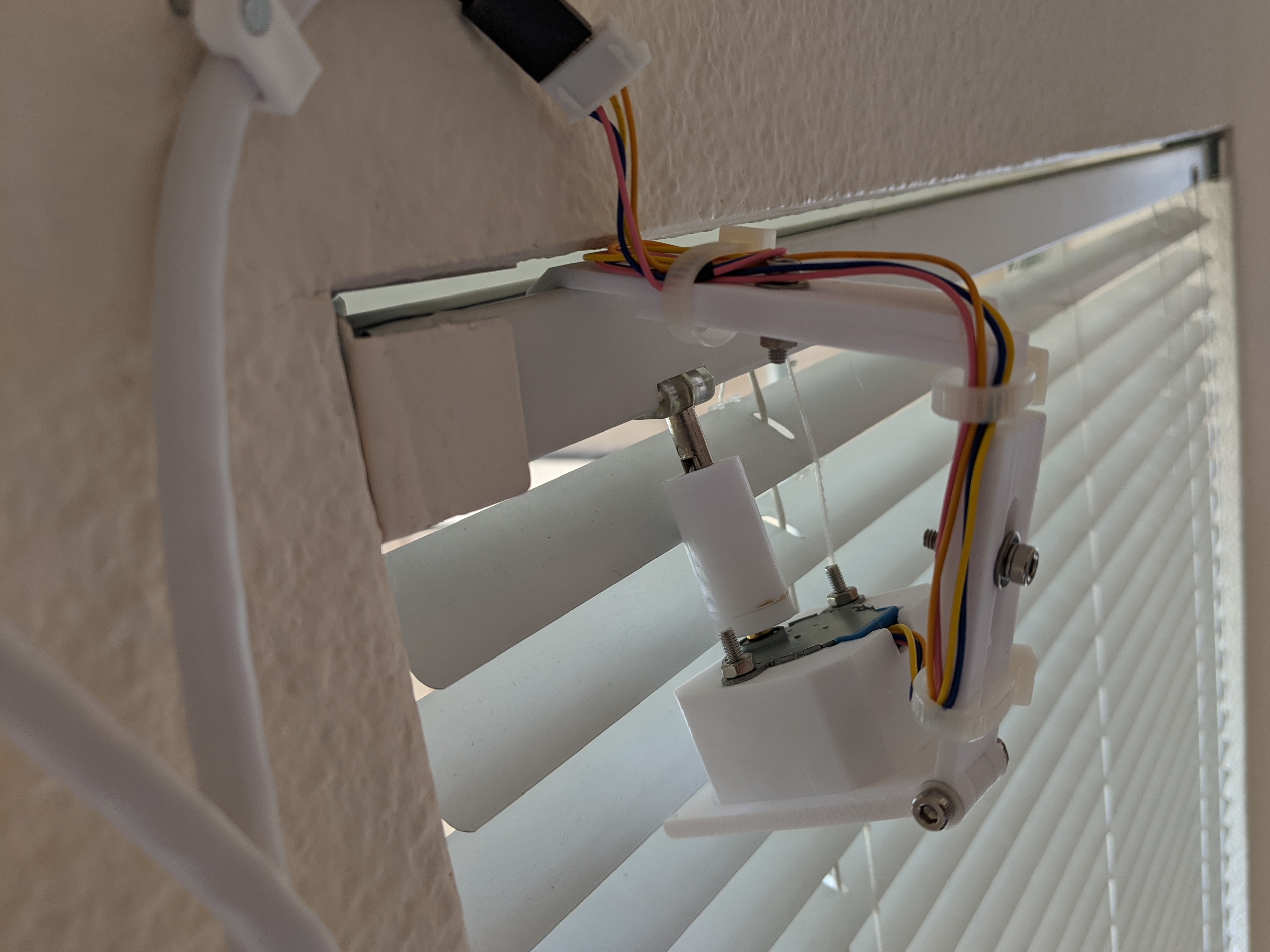
I designed most of this setup myself, and wanted to share how I approached it.
I wanted a motor mounted on the outside of the track to drive the existing worm gear. I rent and don’t want to be kicking myself too hard when I move out. These are super easy to (un-)install.
There are few parts I’ll cover in this post:
- The 3D-printed mount design w/ assembly instructions
- The driver circuit PCB
- Driver firmware (esphome w/ cover component) + Integration with HomeAssistant
- Wiring tips
Bill of Materials
If you’re into tinkering, you’ll probably have most of these parts already.
Driver
- Wemos D1 Mini ESP8266 dev board
- A4988 unipolar stepper driver
- 28BYJ stepper motor (important: converted to bipolar, see below)
- 1000 µF electrolytic capacitor
- LM2596 DC/DC buck converter
- Barrel jack
- 2A 12V power supply
- 4 Pin screw terminal
- Driver circuit PCB (Available on OSH Park).
Mount
- A 3D printer
- eSun White PETG
- M3 screws, etc. for assembly (this kit has all but the M3*30 screws):
- 2x M3*30
- 3x M3*20
- 5x M3 nuts
- 6x M3 washers
3D-Printed Mount
The STLs are available on Thingiverse and PrusaPrinters. PrusaPrinters has gcode for the mounting arm, which requires support in some strategic locations.
The mount’s design is simple — it slides into the track and holds the motor in place. Angles and lengths are adjustable so that the motor can be moved into the appropriate position. It’s held together with some M3 screws.
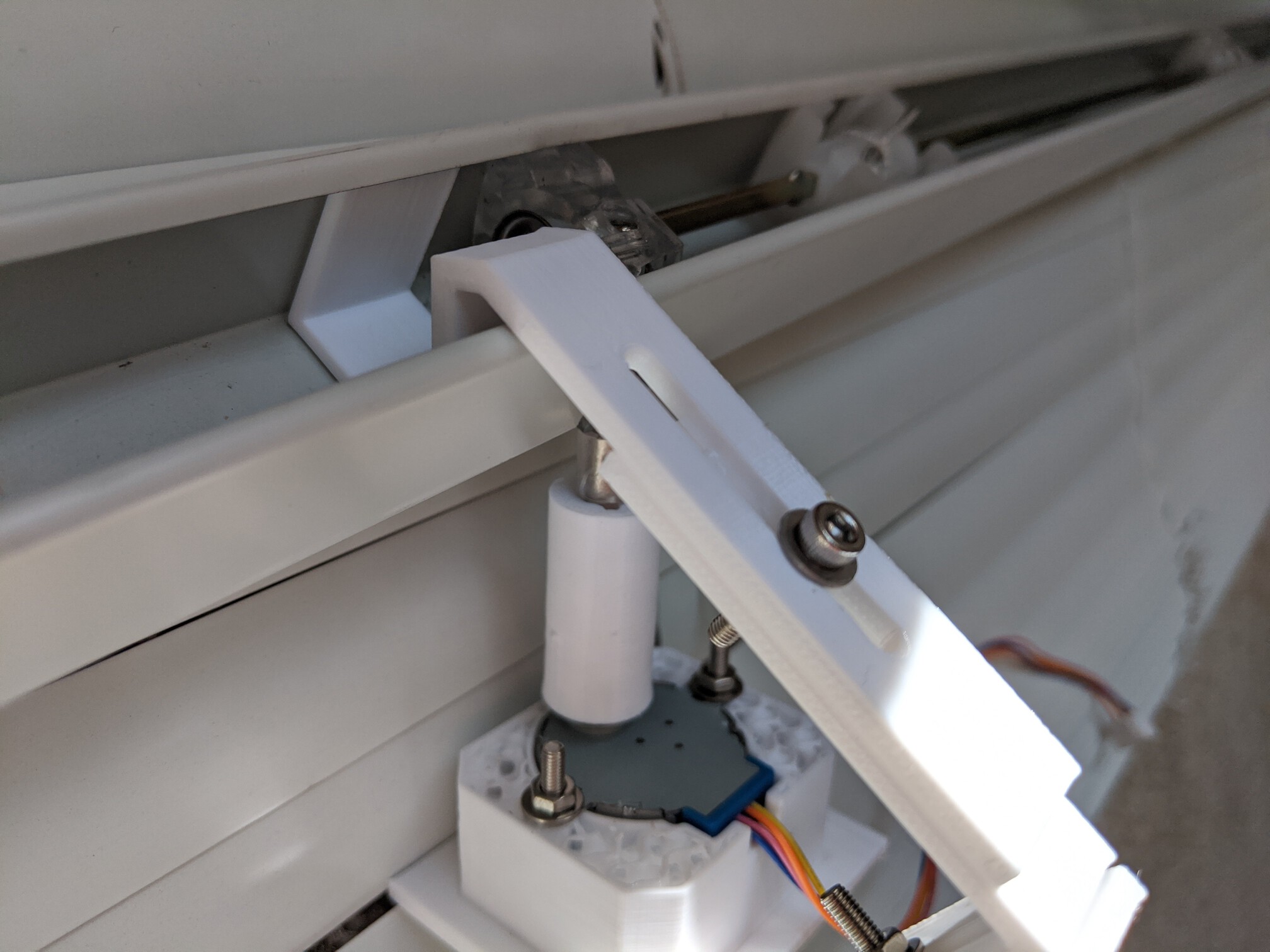
The only piece of this that is not one-size-fits-all is the motor adapter. It connects the shaft of the stepper motor and the worm gear driver. While the 28BYJ end probably always looks the same, I had three different worm driver shafts across my apartment.
Assembly should be pretty self-evident. Let me know if not and I can elaborate.
Convert 28BYJ stepper to bipolar
28BYJ motors are unipolar steppers. In order to use them with the A4988 driver (which supports a higher supply voltage), they must be converted to bipolar. Fortunately, this is pretty simple. Just crack open the blue casing on the side and cut the center PCB trace. I used a small file to do this, but an X-Acto knife or small screwdriver would work just as well.
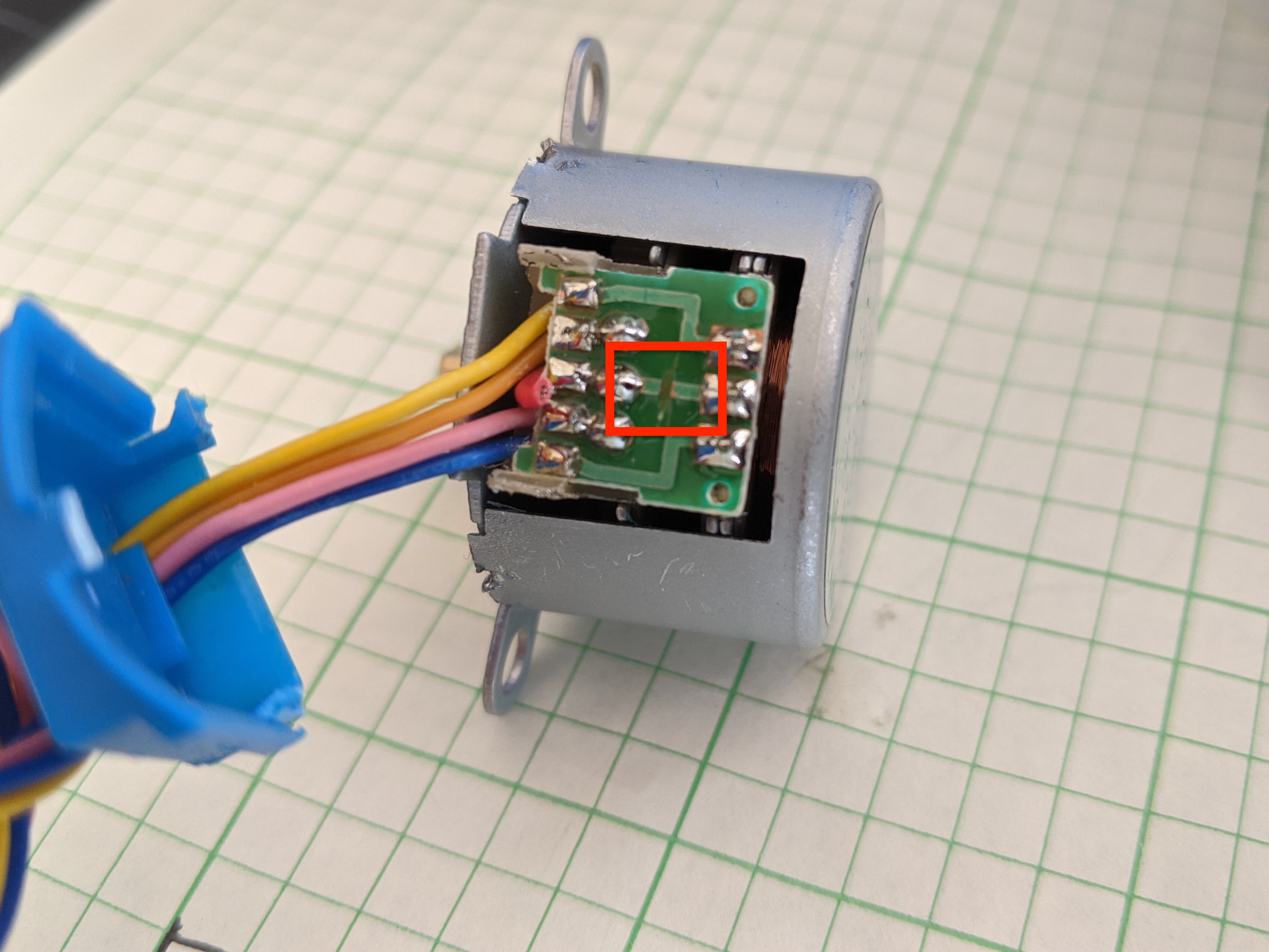
You’ll probably need to break some of the plastic legs on the casing to get it open, but it closes back up well enough without them. I also snipped the lead wire going to this trace to avoid future confusion.
Driver Board
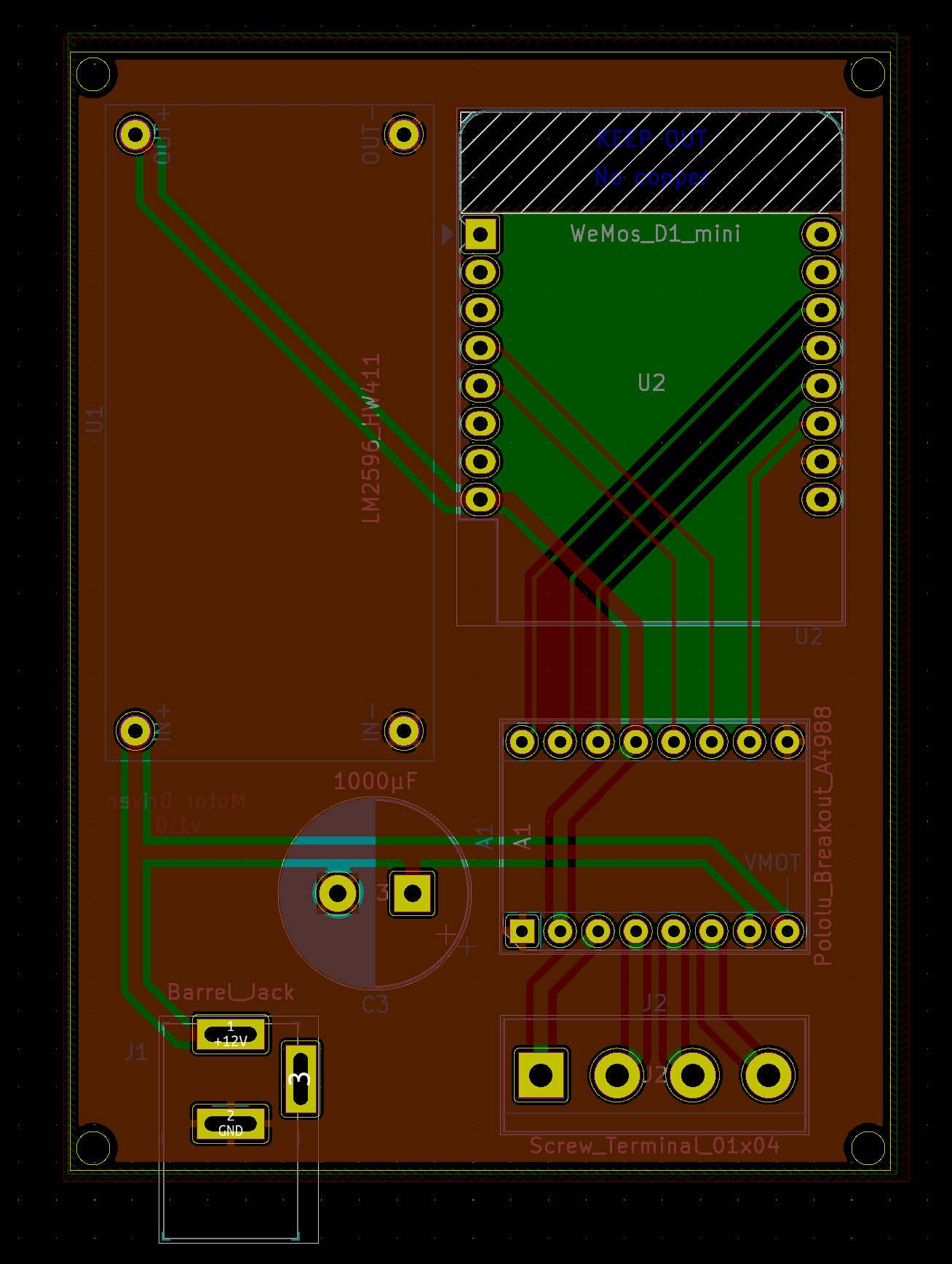
The schematic for this board is pretty simple and has three main components: an ESP8266, an A4988 stepper driver, and a voltage regulator (I used an LM2596-based board).
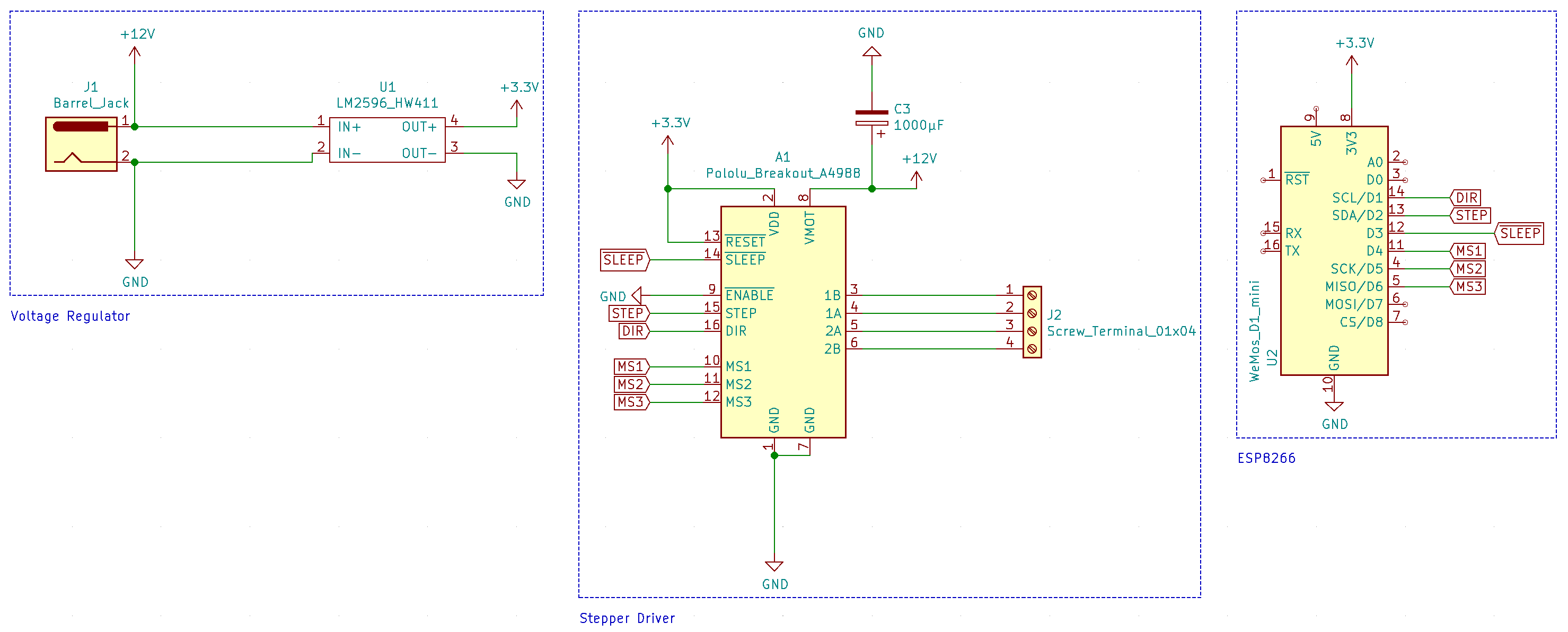
This worked just fine on a perfboard, but because I wanted several of these, I used this project as an excuse to familiarize myself with Kicad and get some PCBs made from OSH Park . I was very happy with the result:
Assembly Instructions
- Make sure to adjust the output voltage of the LM2596 to 3.3v! You’ll fry the D1 Mini if you don’t do this.
- Soldering components should be pretty straightforward as they’re all through-hole.
- I would recommend using headers for the A4988 and Wemos D1 Mini in case either gets damaged.
- Most D1 Mini kits come with two sets of 8-pin headers. Since the A4988 is a 2×8 pin board as well, this works out perfectly.
Driver Firmware
ESPHome’s Template Cover component does the trick quite nicely. I’ve put the YAML definition on Github. Flashing the D1 Mini with generated firmware is pretty simple. I used this command:

(obviously you’ll need to have esphome and esptool installed).
You’ll also need a secrets.yaml that contains your wifi credentials and a setup password:

The meat of the definition is in the template .blinds.yaml, including pin mappings from the ESP8266 and the A4988. If you chose pins different from those shown in the schematic above, make sure to correct them.
Parameters that are specific to a particular installation are substituted. In addition to names, you may also want to adjust the target parameter in the definition. This controls how many turns the motor completes when transitioning from one step to another. You can also negate it if you need to invert the direction (although you can accomplish this by reversing wiring as well).
The stepper position and cover state should be persisted across reboots.
HomeAssistant Integration
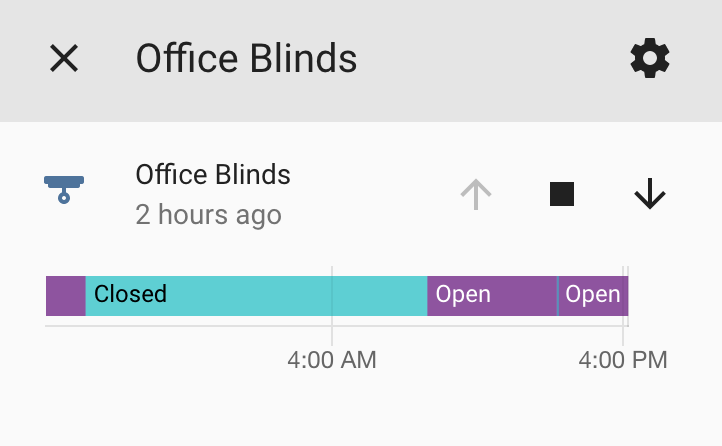
ESPHome works really seamlessly with HomeAssistant. Just add an ESPHome integration (Configuration > Integrations > + > ESPHome) using the hostname or IP of the ESP8266 (if you’re having trouble finding this, it’ll appear in serial logs after flashing the firmware).
This adds the cover component and allows you to control the blinds:
To address a situation where I need to calibrate the position, I have these scripts:
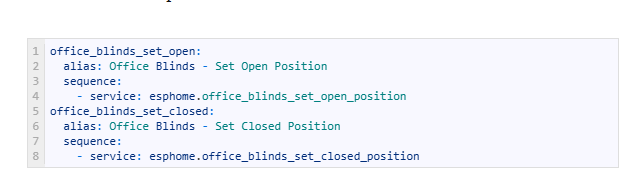
Calling them will tell ESPHome to consider its current position as either open or closed. In combination with the up/down/stop action buttons, this will allow you to get your blinds into the desired state.
Wiring Tips
You can use any sufficiently large four-wire cable to connect the driver to the motor. Ethernet cable works really well. I used one twisted pair for each lead. Stranded ethernet + crimped header would be best, but I only had solid core ethernet, so I soldered some headers on and called it a day.
Here are some pictures that hopefully help as a wire guide:
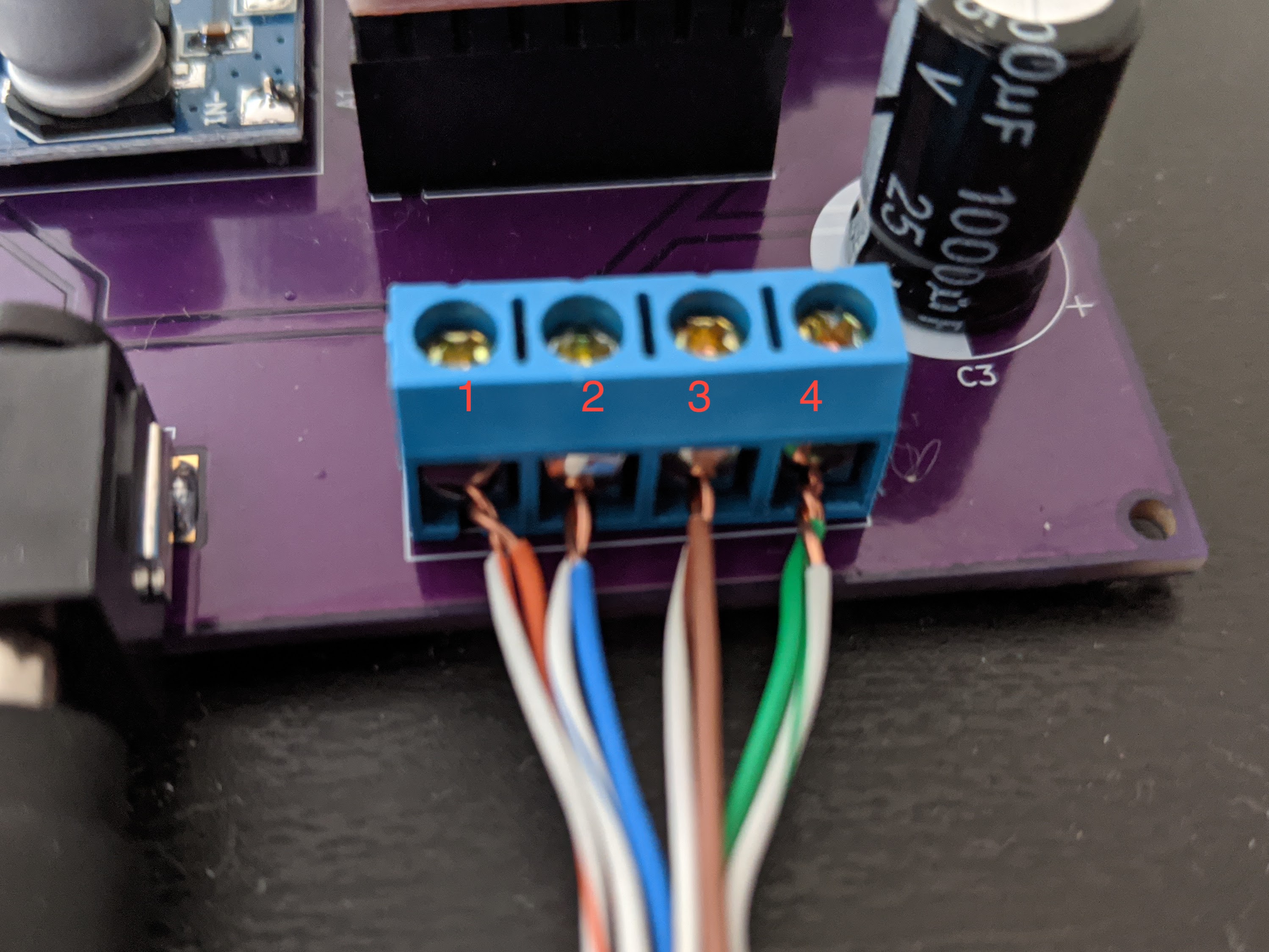
Note that you can reverse the order in which they’re connected (1/2/3/4 -> 1/4/2/3) to invert the directions the stepper turns for open/close.
 tevisec.com